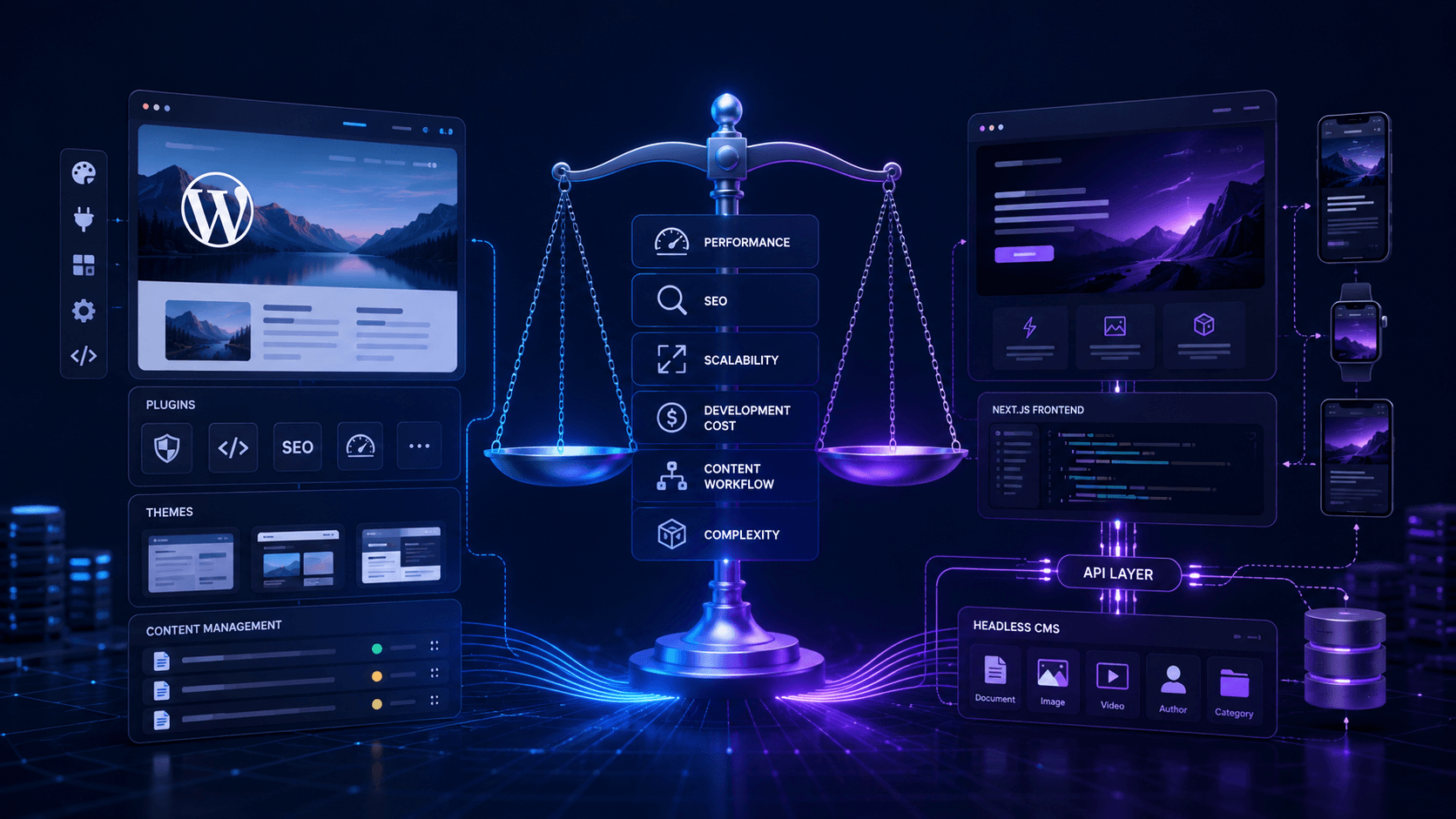
Short answer: Moving from WordPress to Next.js can significantly improve site speed, but not every business needs it. Many companies try to solve problems they do not actually have.
The internet makes it sound like every WordPress site should become headless. That's not reality. For many businesses, a well-maintained WordPress setup is perfectly fine. The question isn't whether headless is better. The question is whether the extra complexity gives you something useful in return. For the full technical picture — including a headless WordPress + Next.js architecture diagram — start with our setup guide.
What does WordPress to headless CMS actually mean?
Traditional WordPress handles both content management and frontend rendering. Editors create content in WordPress and visitors see pages generated by WordPress.
With a headless setup, the CMS and frontend become separate systems. Content lives inside a CMS while Next.js handles the website visitors see.
Content editors work in one place. Developers build the frontend independently.
Why businesses start looking at headless
Usually it starts with performance.
The site has grown over several years. Plugins have accumulated. The theme is doing more than it should. Marketing wants new landing pages. Development takes longer than expected. Mobile performance scores are disappointing.
At some point someone asks whether the current setup is holding the business back.
Sometimes the answer is yes. Sometimes the answer is simply that the WordPress site hasn't been maintained properly. Read why WordPress becomes slow before assuming migration is the solution.
The performance advantage of Next.js
One of the biggest reasons companies move to Next.js is performance.
Pages can be pre-rendered before visitors arrive. Assets can be optimized automatically. Images load more efficiently. Content can be delivered from locations closer to users.
That doesn't mean every Next.js site is automatically fast. We've seen poorly built Next.js projects perform worse than the WordPress sites they replaced.
The framework helps. The implementation still matters.
Content editors still need a good experience
Developers often focus on architecture. Editors care about getting work done.
If your content team publishes articles every day, their workflow matters as much as performance scores. A migration that creates confusion for editors can become a problem very quickly.
This is one reason many businesses keep WordPress as the CMS and simply make it headless. Editors continue using a system they already understand while the frontend gets rebuilt in Next.js.
When a different CMS makes sense
Sometimes WordPress itself is part of the problem.
Custom fields have become difficult to manage. Plugin dependencies are everywhere. Content structures don't reflect how the business actually works anymore.
In situations like this, moving to a CMS such as Sanity, Contentful, or Strapi can be useful.
Migration can take longer, but you usually end up with a cleaner content model and a more stable publishing workflow.
The hidden costs nobody talks about
The frontend rebuild is usually obvious.
The content migration is where many projects underestimate effort. Images need reviewing. Old pages need redirects. Metadata needs checking. Internal links need updating.
A company with fifty pages won't notice much pain. A company with five hundred pages almost certainly will.
That's why planning matters more than technology choice in most migrations.
SEO is usually the biggest risk
Businesses rarely worry about SEO until rankings start dropping.
URL structures change. Redirects get missed. Canonical tags disappear. Sitemap configurations break.
Most migration horror stories aren't caused by React or Next.js. They're caused by SEO details being ignored until launch week.
Before any migration starts, build the redirect strategy first. Not after development is finished.
Who needs a headless setup?
Businesses with international audiences, complex content operations, or multiple integrations usually benefit most.
Teams that need more control over design systems and frontend functionality also tend to see value.
On the other hand, a local business website with ten pages and occasional content updates probably doesn't need a headless architecture.
Technology should solve a business problem.
What a successful migration looks like
Discovery comes first.
Content gets audited. SEO requirements are documented. Redirects are planned. Performance goals are agreed before development begins.
Then the frontend is built, content is migrated, testing happens, and launch becomes a controlled process rather than a stressful one.
The projects that succeed usually aren't using special technology. They're simply better planned.
FAQ: WordPress to headless CMS with Next.js
How to migrate WordPress to a headless CMS?
Audit content and URLs from Search Console first. Export via REST API, map fields to your new content model, rebuild templates in Next.js, set up 301 redirects, then cut over incrementally — low-traffic pages first. Never launch without a complete redirect map and SEO monitoring plan.
How to choose the right headless CMS for WordPress migration?
Start with whether you need to leave WordPress at all — headless WordPress is lowest-risk if editors know Gutenberg. If replacing WordPress, compare Sanity (flexible content models), Contentful (enterprise scale), and Strapi (self-hosted). Match the CMS to your content complexity, team skills, and budget — not feature lists on marketing pages.
Why migrate WordPress to a headless CMS?
When performance targets can't be hit on the current theme, plugin conflicts block development, the site needs app-like interactivity, or you're scaling across markets and channels. Not when the site just needs caching and image optimisation — fix configuration first. See why WordPress is slow before committing to migration.
What are the challenges of migrating WordPress to a headless CMS?
Content in page builders and shortcodes doesn't export cleanly. Redirect maps get incomplete. SEO metadata and schema must be rebuilt. Editors lose WYSIWYG preview unless you build Draft Mode. Two systems to host and maintain. Plugin-dependent functionality must be rebuilt in React. Timeline and cost blowouts usually come from these — not the framework choice.
How do I migrate WordPress to a headless CMS?
Start with a content audit and URL inventory from Search Console. Export via REST API (not XML export), map fields to your new content model, rebuild the frontend in Next.js, set up 301 redirects, then cut over incrementally — low-traffic pages first. Never big-bang without a redirect map.
Which headless CMS is easiest to migrate to from WordPress?
Headless WordPress itself is usually the lowest-risk path — editors keep wp-admin, you only rebuild the front end. If you're leaving WordPress entirely, Sanity and Contentful have the most migration tooling and agency support; Strapi suits teams who want self-hosted control. Compare based on your content model complexity and who maintains the CMS after launch.
Can I migrate WordPress to a headless CMS without losing SEO traffic?
Yes, with discipline: keep URL structures where possible, 301 every changed URL to a specific destination (never the homepage), preserve titles and meta descriptions until traffic stabilises, maintain schema, submit the new sitemap on launch day, and monitor GSC daily for 30–60 days. Use our full migration checklist before cutover.
Should I keep WordPress as a headless CMS or replace it entirely?
Keep WordPress when editors know Gutenberg, you have hundreds of posts with ACF, or retraining cost is high. Replace it when WordPress maintenance, plugin sprawl, or security surface is the problem — not just slow page loads fixable with caching. For many marketing sites, headless WordPress is the lowest-risk path.
Can I migrate WordPress incrementally instead of all at once?
Yes — and you should. Use reverse-proxy routing or edge rewrites to send some URLs to Next.js and others to the legacy theme. Start with low-traffic templates, verify performance and links, then expand. Big-bang cutovers are where SEO disasters happen.
Is Next.js better than WordPress?
They solve different problems. WordPress is a CMS, while Next.js is a frontend framework often chosen for speed and flexibility.
Will migrating improve SEO?
Potentially. Better performance and improved technical control can help. Poorly managed migrations can also damage rankings. Execution matters more than the stack itself.
How long does a migration take?
Small projects can take a few weeks. Larger sites with complex integrations often take several months.
Is headless CMS more expensive?
Usually yes. There are more moving parts and more development involved. The additional cost only makes sense when the business benefits justify it.
Related resources
- WordPress to Next.js migration checklist
- Technical SEO for Next.js
- WordPress to Next.js migration cost
- Why WordPress is slow
- React vs WordPress for business websites
- Why hire a Next.js developer
- WordPress to Next.js migration service
- WordPress migration services
- Technical SEO services
- Oxbridge performance case study
Bottom line
WordPress to headless CMS with Next.js can be a great move when performance, scalability, and frontend flexibility are becoming business priorities. It can also be unnecessary complexity when the existing WordPress setup simply needs maintenance.
The best migrations start with understanding the problem first. The technology choice comes second.
We help businesses evaluate whether headless WordPress, Next.js, or a full CMS migration makes sense before development starts. Migration service · Services · Performance proof · Book a consultation.