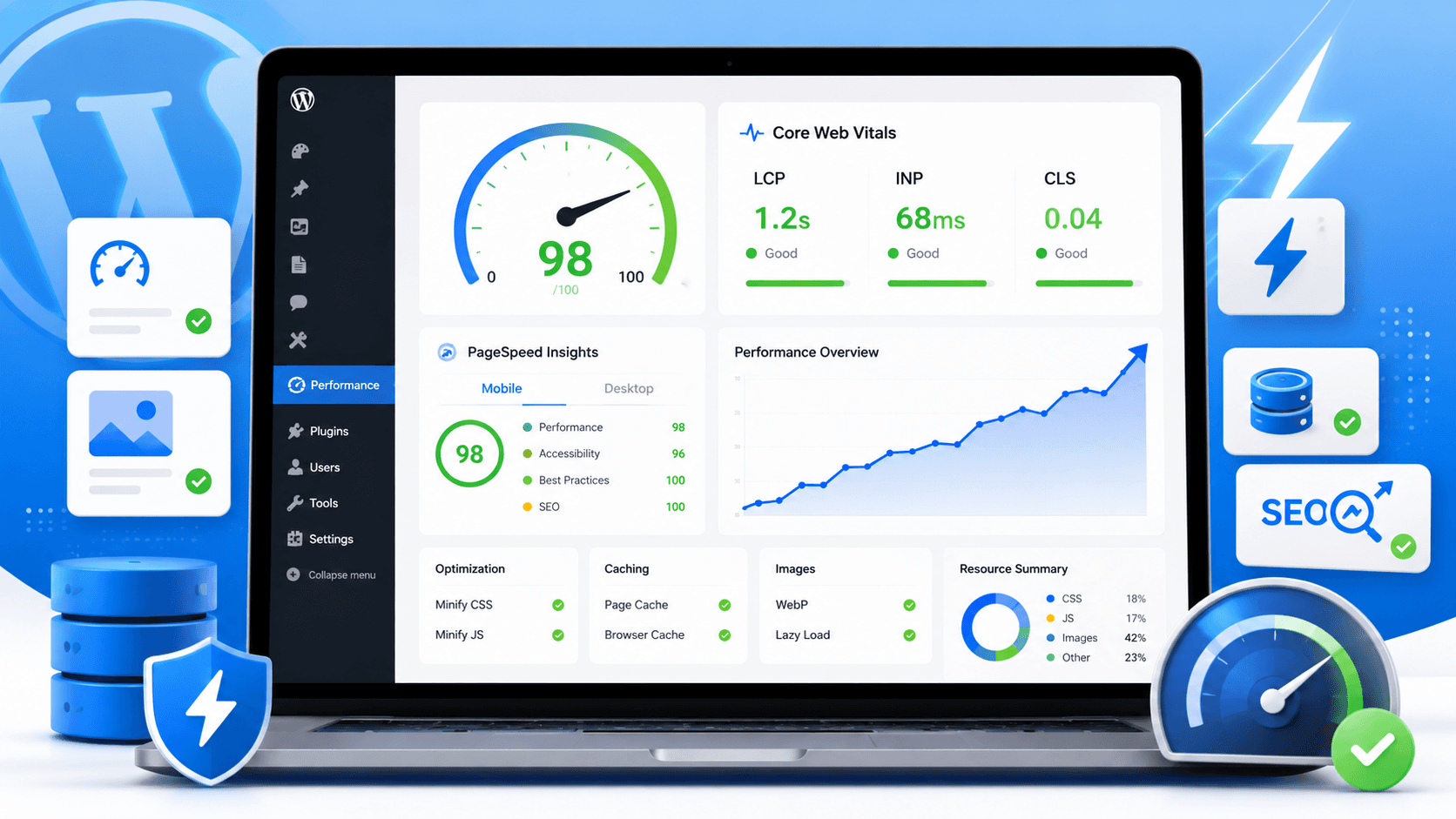
Honest answer: Most Core Web Vitals failures on WordPress are not mysterious. Oversized hero images kill LCP. Plugins loading JavaScript everywhere hurt INP. Images and ads without dimensions cause CLS. No caching makes all of it worse. Google wants roughly LCP under 2.5s, INP under 200ms, and CLS under 0.1—and plenty of WordPress sites can hit that without ripping the stack out.
This post is about those three metrics specifically—not general slowness. If you want the wider picture first, read why WordPress is slow. If you are deciding whether to rebuild at all, see headless WordPress pros and cons.
What are Core Web Vitals?
Core Web Vitals are how Google measures real user experience on a page—how fast the main content shows up, how snappy the site feels when someone taps or clicks, and whether the layout jumps around while loading.
In Search Console and PageSpeed Insights you'll see LCP (Largest Contentful Paint), INP (Interaction to Next Paint), and CLS (Cumulative Layout Shift). When Google has enough field data, these feed into rankings. They're not abstract lab scores—they're tied to what visitors actually feel.
LCP — usually the hero image
LCP is "how long until the biggest thing on screen appears." On most WordPress homepages that's a hero image or banner—not your logo.
We still see 3–4MB heroes where 250–300KB would look the same on a laptop screen. The browser downloads what you uploaded. No plugin magically shrinks a file you never compressed.
Fix LCP by shrinking that image before upload, using WebP where you can, setting width and height in the markup, and turning on caching so repeat visits aren't rebuilding from scratch every time.
INP — plugins and JavaScript on every page
INP is response time—click a button, open a menu, submit a form. If the page feels laggy, INP is often why.
On WordPress this is usually theme bloat plus plugins that enqueue scripts site-wide: chat widgets, sliders, page builders, analytics, popups. Each one adds work on the main thread before the browser can respond.
We've cut INP issues by auditing which plugins load JS on pages that don't need them—not by installing another "speed" plugin on top.
CLS — layout shift when things load late
CLS is the annoying jump when you go to click something and the page moves because an image, font, or ad loaded above it.
Give images and embeds explicit dimensions. Reserve space for ad slots and banners. Don't inject banners above content after the page has already painted. Limit web fonts—four families in six weights is a common WordPress theme mistake.
Caching still matters for LCP
Without caching, WordPress runs PHP and hits the database on every visit. For a quiet brochure site you might not notice. For anything with traffic, it shows up in LCP and server response time.
Page caching is boring work and high impact. A surprising number of sites we audit simply never turned it on.
Hosting — after you've fixed the obvious stuff
Shared hosting on a heavy theme with no cache will stay slow no matter how many blog posts you read. But if images, plugins, and caching are sorted and mobile LCP is still red, hosting or a CDN for international visitors is the next question—not a Next.js migration on day one.
Page builders get blamed for everything
Elementor isn't automatically evil. A site with forty widgets per template and animation on every block will score badly—that's misuse, not the tool itself. You'll see it in both LCP and INP.
Fix order we use on WordPress audits
Don't random-fix. This sequence stops you chasing the wrong metric:
- Run PageSpeed Insights on mobile for your homepage and one money page. Write down which metric is failing—LCP, INP, or CLS.
- Fix LCP first if it's red: hero image size, format, dimensions, preload only if it truly is the LCP element.
- Turn on page caching. Confirm logged-out visitors get cached HTML.
- Tackle INP: list plugins loading JS globally, remove or limit them to the pages that need them.
- Fix CLS: dimensions on images/embeds, reserved space for ads and late content.
- Re-test. If TTFB or international LCP is still poor, look at hosting or a CDN.
- Run PageSpeed again and note what actually moved. Screenshot before/after—you'll want it if you brief a developer.
What we look at in a Core Web Vitals audit
PageSpeed Insights and Lighthouse first—the waterfall shows what loads first and what's heavy. Then the plugin list, theme assets, third-party tags. Most failures are visible in under an hour if someone actually looks.
Perfect lab 100 isn't the goal. Passing field Core Web Vitals on the URLs that bring leads is.
What passing scores look like (real projects)
Performance metrics were verified using Google PageSpeed Insights (powered by Lighthouse). Our studio site (devcritters.com)—desktop, May 18, 2026: Performance 99, SEO 100, LCP 0.9s, CLS 0. Screenshots on services.
Client proof: Oxbridge Summer Courses (headless WordPress + Next.js)—mobile CWV passed (Apr 30, 2026: LCP 1.8s, INP 139ms, CLS 0.01); desktop CWV passed (Jul 20, 2026: LCP 1.5s, INP 69ms, CLS 0.06; 90 Performance / 100 SEO lab). Full walkthrough: Next.js Core Web Vitals case study. Best Summer Courses Guide (Next.js, PostgreSQL, WordPress API)—desktop CWV passed (Jul 22, 2026: LCP 2.3s, INP 110ms, CLS 0.05; 98 Performance / 100 SEO lab). Screenshots on services. That's a rebuild story when configuration can't fix it. Most WordPress sites don't need that if configuration is the real problem.
When fixing WordPress isn't enough
Heavy WooCommerce, complex integrations, mobile scores stuck in the 30s after a proper audit—that's when we talk headless WordPress and Next.js. Fix what you have first. Migration cost and timeline is a separate conversation.
FAQ: fixing Core Web Vitals in WordPress
How to improve Core Web Vitals in WordPress?
Work in order: enable full-page caching and a CDN, fix the LCP image (compress, WebP, no lazy-load above fold), strip unnecessary plugin JavaScript per page, add width and height to images and embeds, defer non-critical scripts. Re-test in Search Console after each change — not all at once. See the step-by-step audit order in the main body of this post.
What are Core Web Vitals and why do they matter for WordPress?
Core Web Vitals are Google's three user-experience metrics: LCP (loading speed), INP (responsiveness), and CLS (visual stability). They feed into search rankings when Google has enough field data. For WordPress sites, they usually fail because of configuration — bloated themes, unoptimised images, plugin script sprawl — not because of the platform itself.
Why is my WordPress site slow and affecting Core Web Vitals?
WordPress builds pages dynamically — PHP hits the database on every uncached request. Add a bloated theme loading scripts everywhere, oversized hero images, and plugins enqueueing JavaScript globally, and all three CWV metrics suffer. Slow TTFB hurts LCP; heavy JS hurts INP; images without dimensions hurt CLS. See why WordPress is slow for the full breakdown.
Where can I find Core Web Vitals reports for my WordPress site?
Three places: Google Search Console → Experience → Core Web Vitals (field data from real users), PageSpeed Insights (lab + field where available), and Chrome DevTools Lighthouse for page-level debugging. Search Console is the one that matters for SEO — it shows which URLs fail and which metric is the problem.
When should I prioritize fixing Core Web Vitals for my WordPress site?
Prioritise when Search Console flags your money pages (homepage, service pages, checkout) as failing, when you're running paid traffic to slow landing pages, or when competitors outrank you on mobile despite similar content. Fix configuration first — caching, images, plugin audit. Consider a rebuild only when scores stay in the 30s after a proper audit.
How can I optimize images for better Core Web Vitals in WordPress?
Compress before upload — aim for under 300KB on hero images. Serve WebP or AVIF. Set explicit width and height in markup. Never lazy-load the LCP image; add fetchpriority="high" instead. Use responsive srcset so mobile doesn't download desktop-sized files. ShortPixel or Imagify help, but fixing upload discipline beats any plugin.
How to leverage caching to improve WordPress Core Web Vitals?
Enable full-page caching so repeat visitors get static HTML without PHP running. Use LiteSpeed Cache, WP Rocket, or your host's built-in cache. Pair with a CDN (Cloudflare, BunnyCDN) for international visitors. Caching directly improves LCP by cutting TTFB — often the single biggest win on uncached WordPress sites.
How to choose a fast WordPress hosting provider for Core Web Vitals?
Look for NVMe storage, LiteSpeed or nginx, built-in caching, and isolated resources — not unlimited shared hosting. Test TTFB on a staging site before committing. Managed WordPress hosts (Kinsta, WP Engine, Cloudways) typically deliver TTFB under 200ms. Fix images and plugins first; upgrade hosting only when TTFB stays high after optimisation.
What are the key metrics within Core Web Vitals (LCP, INP, CLS) for WordPress?
LCP (Largest Contentful Paint): how fast the main content loads — target ≤2.5s. INP (Interaction to Next Paint): how responsive the page feels on tap or click — target ≤200ms. CLS (Cumulative Layout Shift): whether content jumps during load — target ≤0.1. Google replaced FID with INP in 2024 — check INP, not FID, in current reports.
What are the common causes of poor Core Web Vitals scores in WordPress?
No page cache (slow TTFB → bad LCP), oversized hero or featured images (bad LCP), plugins loading JavaScript on every page (bad INP), images and embeds without dimensions (bad CLS), render-blocking CSS and fonts, and shared hosting hitting resource limits under traffic. Most are fixable without changing platforms.
Which WordPress plugins are most effective for optimizing Core Web Vitals?
WP Rocket or LiteSpeed Cache for page caching and CDN integration. Asset CleanUp or Perfmatters to stop plugins loading scripts on pages that don't need them. ShortPixel or Imagify for image compression. Plugins help when configured correctly — they don't fix architectural bloat from page builders loading 40 scripts site-wide.
What are the three Core Web Vitals for WordPress?
LCP (loading — target ≤2.5s), INP (responsiveness — target ≤200ms), and CLS (visual stability — target ≤0.1). Google assesses the 75th percentile of real user visits. PageSpeed and Lighthouse help diagnose; Search Console → Core Web Vitals shows field data that actually counts.
Why is my WordPress site failing Core Web Vitals?
Most failures come from four patterns: no page cache (slow TTFB), unoptimised hero or featured images (bad LCP), plugin JavaScript on every page (bad INP), and images or embeds without width and height (bad CLS). Plugin count matters less than which scripts load globally.
How do I pass the Core Web Vitals assessment on WordPress?
Work in order: enable full-page cache and CDN, fix the LCP image (WebP, no lazy-load above fold, fetchpriority="high"), strip per-page plugin assets, add explicit dimensions to images and embeds, defer non-critical JS. Re-test in GSC after each change — not all at once.
How to fix core web vitals on WordPress?
Start with caching and the LCP image, then tackle INP by removing unnecessary plugin scripts, then fix CLS with image dimensions and reserved space for embeds. See the step-by-step audit order in the main body of this post — fix one metric at a time and re-test.
How do I improve LCP on WordPress?
Shrink the largest above-the-fold element — usually the hero or featured image. Enable caching so TTFB stays under ~600ms. Preload the LCP image, serve WebP or AVIF, and never lazy-load it. Fix server response before chasing image plugins.
How do I fix INP on WordPress?
INP is a JavaScript problem. Use Asset CleanUp or Perfmatters to stop plugins loading scripts on pages that don't need them. Defer or delay analytics, chat widgets, and social embeds until user interaction. Test checkout and forms after each change — blind defer breaks things.
How do I fix CLS on WordPress?
Reserve space before content loads: width and height on images, aspect-ratio boxes for embeds, fixed-height ad slots. Use font-display: swap or self-host fonts to stop text reflow. Cookie banners that inject after paint are a common CLS culprit — style them fixed or reserve space.
What is a passing Core Web Vitals score?
Google's "good" band: LCP at or below 2.5 seconds, INP at or below 200 milliseconds, CLS at or below 0.1. PageSpeed labels each Good, Needs Improvement, or Poor. Focus on the pages that actually convert—not every archive page on the site.
Can WordPress pass Core Web Vitals?
Yes. WordPress isn't the ceiling—lazy images, no cache, and plugin sprawl are. We've seen sites pass after a focused audit without changing CMS.
What's the fastest way to improve LCP?
Shrink the largest above-the-fold image and enable caching. Those two alone beat most optimization plugins.
Do plugins hurt Core Web Vitals?
Some do, mostly INP. It's which plugins load JavaScript everywhere—not whether you have "too many" in absolute terms.
Will changing hosting improve Core Web Vitals?
Maybe—for LCP and TTFB under load. Fix images, cache, and scripts first so you're not paying for hosting when configuration was the issue.
Should I move to Next.js to improve Core Web Vitals?
Not by default. Try the fix order above. Next.js makes sense when you have hit architectural limits, not when nobody turned on caching.
How is this different from a general WordPress speed guide?
This post maps fixes to Google's three Core Web Vitals metrics—LCP, INP, and CLS—with thresholds and a step-by-step audit order. Our why WordPress is slow post covers broader causes (themes, hosting, plugins) without tying each fix to a specific metric.
Related resources
- Core Web Vitals services
- Next.js Core Web Vitals case study (Oxbridge)
- Why WordPress is slow
- Headless WordPress pros and cons
- WordPress to Next.js migration cost
- Headless WordPress with Next.js guide
- Oxbridge case study
- Best Summer case study
- React vs WordPress comparison
Bottom line
Core Web Vitals on WordPress usually fail for boring reasons—fat heroes, script sprawl, no dimensions, no cache. Work through the list, re-test, then decide if the platform is wrong or the setup is.
We audit and fix WordPress performance for international businesses, and build headless Next.js when the situation calls for it. Migration service · Services · Performance proof · Book a consultation.