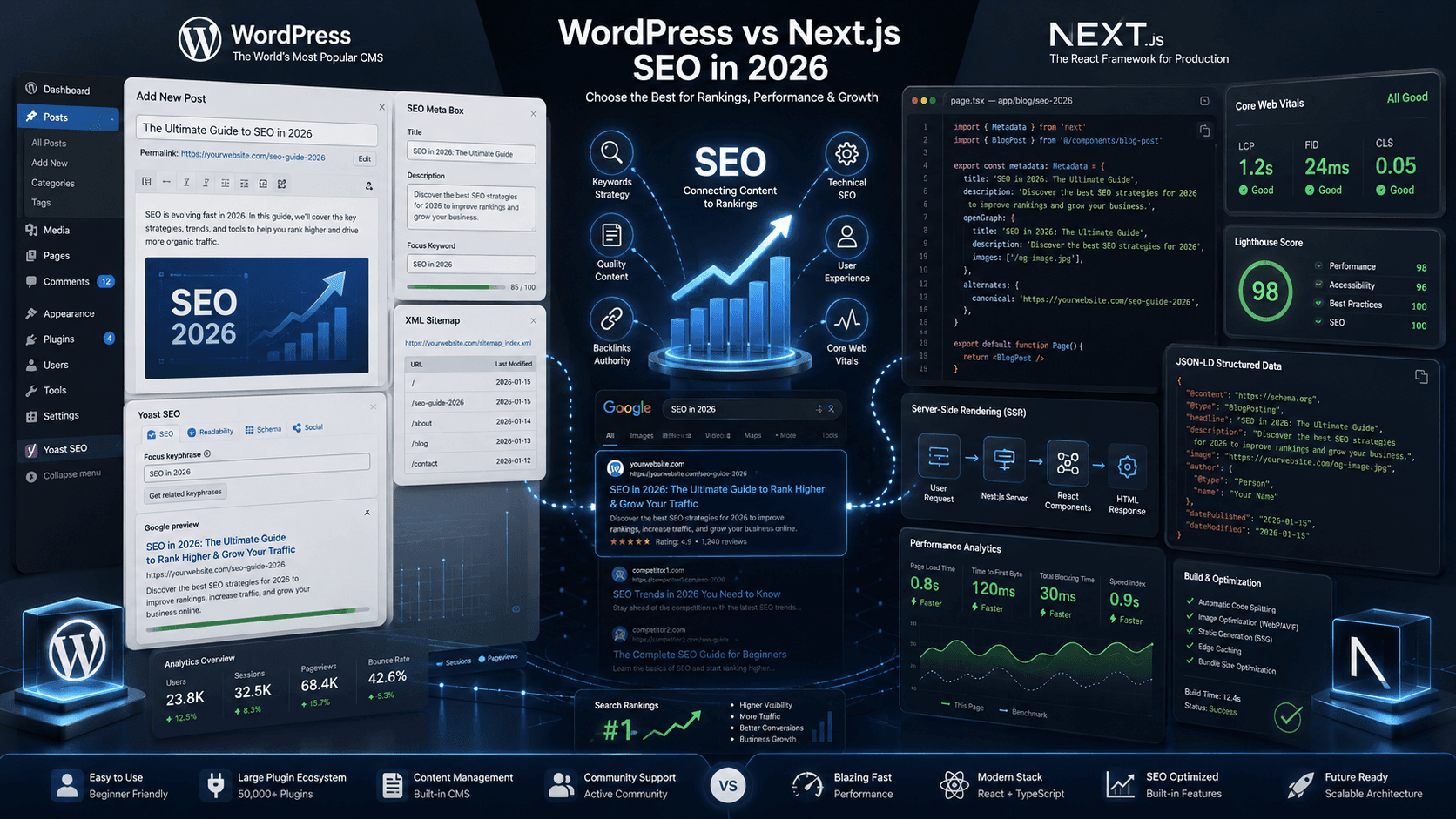
Short answer: neither platform wins SEO by default. WordPress with the right plugins and a lean theme can rank just as well as Next.js — and Next.js with a sloppy build can underperform a tuned WordPress site. The real difference is how much control you get and how much discipline the implementation needs. This post breaks down where each one actually has an edge.
If you're trying to decide whether to migrate at all, our WordPress to headless CMS guide covers the broader decision. If you've already decided and want the architecture, see headless WordPress with Next.js.
Why this question keeps coming up
Every few months a thread pops up somewhere claiming one stack is "better for SEO" than the other. It's not a useless question — it's just usually answered with opinions instead of specifics.
SEO is not something you install — it is a combination of crawlability, content, metadata, and page speed. WordPress and Next.js can both do it well. Both can also get it badly wrong.
Rendering: where the real difference starts
On a typical WordPress page, PHP runs on each request, hits the database, and assembles HTML before the visitor or crawler sees anything.
Next.js gives you a choice. Static generation builds the HTML ahead of time, so a crawler gets a finished page instantly. Server-side rendering builds it per request but with far tighter control over what runs. Incremental static regeneration sits in between — pages stay static but refresh on a schedule or on demand.
For SEO specifically, this matters less for Googlebot — which handles JavaScript and dynamic WordPress pages reasonably well — and more for how consistently fast the page is for every visitor and every crawl. Speed at scale is where Next.js tends to have the structural advantage, not because Google can't read WordPress.
Core Web Vitals: not a stack problem, a build problem
This is the part people get wrong most often. Core Web Vitals — LCP, INP, CLS — are not assigned by platform. They reflect what actually loads on the page.
Sometimes using compressed images or plugins for cache is not able to fix core web vitals. We've documented this in detail in fixing Core Web Vitals in WordPress without a rebuild — most failures trace back to oversized images and plugin sprawl, not WordPress itself.
A Next.js site with unoptimised images, an unnecessarily large client-side bundle, and no thought given to rendering strategy can fail the exact same metrics. We've audited Next.js builds that scored worse than the WordPress sites they replaced.
What Next.js does give you is a tighter ceiling. With static generation, optimised images out of the box, and full control over what JavaScript ships to the browser, hitting a 95+ mobile performance score is more achievable — and easier to sustain as the site grows. On WordPress, every plugin you add is a small risk to that ceiling.
Crawl budget and site structure
For large sites — hundreds or thousands of URLs — crawl budget becomes a real factor. Googlebot doesn't crawl everything immediately or with equal priority, and a bloated WordPress install with archive pages, tag pages, and pagination variants nobody planned for can waste a lot of that budget on URLs that don't matter.
Next.js doesn't generate those pages unless you build them. That forces more deliberate information architecture from day one, which tends to produce a cleaner crawl footprint. It's not that WordPress can't do this — it's that WordPress will happily generate URL bloat by default unless someone actively prunes it.
Structured data and metadata control
WordPress typically uses SEO plugins so editors can set titles, metadata, and descriptions without touching code.
Next.js requires building this yourself — schema markup, dynamic metadata, canonical tags, sitemap generation.
One is faster to operate day-to-day. The other is more predictable long-term.
Where WordPress still has the edge
Publishing velocity. If your team is putting out content several times a week, WordPress's editorial tooling — previews, revision history, the block editor, an SEO plugin showing a readability score — is hard to beat without significant custom development on the Next.js side.
Plugin coverage. Schema for recipes, products, FAQs, events — most of it exists as a plugin already. On Next.js you're building or adapting most of that yourself.
Lower technical overhead. A well-configured WordPress site with good hosting can hit solid SEO numbers without a development team maintaining a separate front-end application.
Where Next.js still has the edge
Performance ceiling. It's easier to sustain top-tier Core Web Vitals at scale because you control rendering and asset delivery directly, rather than working around what a theme and a stack of plugins decide to load.
Consistency under traffic. Static and incrementally regenerated pages don't degrade the way a database-driven WordPress page can under a traffic spike.
Custom experiences. Calculators, filters, multi-step funnels, anything closer to an application than a document — these are usually faster and more stable when built natively in React rather than stitched together from WordPress plugins.
The hybrid option people forget
Headless WordPress keeps the CMS your editors already know while serving pages through a Next.js front end. You get the editorial tooling and the performance ceiling at the same time — at the cost of running two systems instead of one. See our headless WordPress SEO guide for how to wire metadata and sitemaps correctly.
So which one should you choose?
If your team publishes constantly, relies on plugin-driven SEO tooling, and the current setup isn't hitting a hard performance ceiling — stay on WordPress and fix what's actually slow first. Most performance complaints are configuration problems, not platform problems.
If you're consistently failing Core Web Vitals after a proper audit, building something closer to a product than a content site, or scaling across markets where every fraction of a second in load time affects conversion — Next.js, or headless WordPress with a Next.js front end, is worth the investment.
The mistake is picking a stack because of a blog post ranking argument rather than because of what your team actually needs to ship and maintain.
FAQ: WordPress vs Next.js SEO
Is it risky to migrate from WordPress to Next.js for SEO?
Migration risk is execution risk, not platform risk. Rankings drop when redirects are missing, canonicals duplicate, client-side rendering hides content, or two sitemaps compete. Done with SSR or SSG, a full redirect map, and schema parity, most sites keep 90%+ traffic through cutover.
Is Next.js better than WordPress for Core Web Vitals?
Next.js typically ships less JavaScript and serves pre-rendered HTML — easier path to good LCP, INP, and CLS. WordPress can pass CWV with lean themes, caching, and script discipline. Next.js wins when plugin bloat and page builders make CWV fixes unsustainable.
Can WordPress rank as well as Next.js?
Yes. Content quality, backlinks, and technical hygiene matter more than stack. WordPress teams with editorial velocity often outpublish engineering-heavy Next.js setups. Choose based on who maintains SEO day-to-day, not forum debates.
WordPress vs headless CMS — what's the difference?
Traditional WordPress renders pages from PHP themes. Headless WordPress keeps the CMS but serves pages through a separate frontend like Next.js — faster delivery, more front-end control, but two systems to maintain. See our headless WordPress pros and cons for the full tradeoff.
Is Next.js faster than WordPress?
Often yes on mobile — static generation and smaller JS budgets help. Not automatically: a bloated Next.js build can score worse than a tuned WordPress site. The implementation decides the outcome, not the logo on the stack.
Does Google prefer Next.js or WordPress for SEO?
No. Google ranks relevant, fast, crawlable pages. Platform is not a ranking factor on its own — performance and content are.
Is Next.js automatically faster than WordPress?
Not automatically.
Can WordPress pass Core Web Vitals?
Yes. Most failures come from unoptimised images, missing caching, and plugin bloat — all fixable without changing platforms. See our Core Web Vitals fix guide.
Is headless WordPress better for SEO than either option alone?
It can combine the strengths of both — editorial tooling plus a faster front end — but it adds architectural complexity. It's worth it when both sides of that tradeoff matter to you.
Should I migrate just for SEO?
Only after ruling out configuration issues on your current platform. Migration is costly but do it when you know this issue is not fixable.
Related resources
- Headless WordPress SEO guide
- Technical SEO for Next.js
- Headless WordPress: pros, cons, and whether it's worth it
- Fix Core Web Vitals in WordPress without a rebuild
- Headless WordPress with Next.js: architecture and setup guide
- WordPress to headless CMS with Next.js
- Why is WordPress slow?
- WordPress to Next.js migration cost
- React vs WordPress for business websites
- Technical SEO services
Bottom line
WordPress vs Next.js SEO is not a winner-takes-all debate — it is a question of which stack fits your team and how much implementation discipline you can sustain. Both can rank. Both can fail. The build decides which outcome you get.
We audit and fix WordPress performance for international businesses, and build headless Next.js when the situation calls for it. Migration service · Services · Performance proof · Book a consultation.